admin

What I’m Drinking: Yame Kyushu Gyokuro

As many of you know (or may not know?), I’m a huge tea drinker and have probably 20 different types of tea in my apartment (tea is addicting). I wanted to let everyone know about my new favorite tea, the Yama Kushu Gyokuro (or Yame Kyushu Gyokuro as it says on my bag) from Wellness Tea Dynasty. Take a look:

The Bag
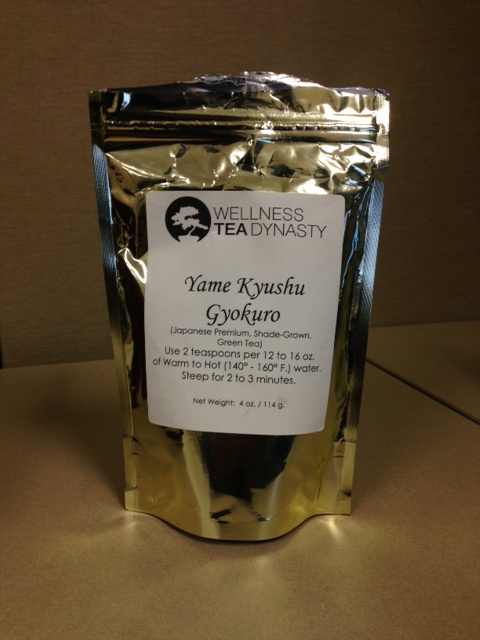
Yama Kushu Gyokuro
The first thing you’ll notice is that the instructions are written CLEARLY on the packaging which helps create the perfect cup of tea (I </3 tea that has been steeped too long). Did you know that depending on what type of tea you’re making, you’re supposed to steep it at a different temperature and time? Pro Tip: Don’t order tea from Starbucks — the water they use is way too hot and by the time you figure out how long to steep it for, it is probably too late.

Pre-steep Leaves
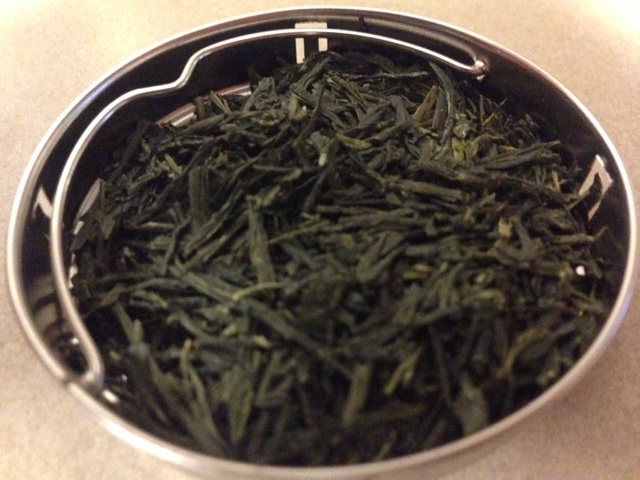
Yama Kushu Gyokuro Leaves
These are some great looking leaves! They are a nice long size and a great dark shade of green. They also smell incredible (if it were a cologne, I’d wear it).

Post-steep Leaves
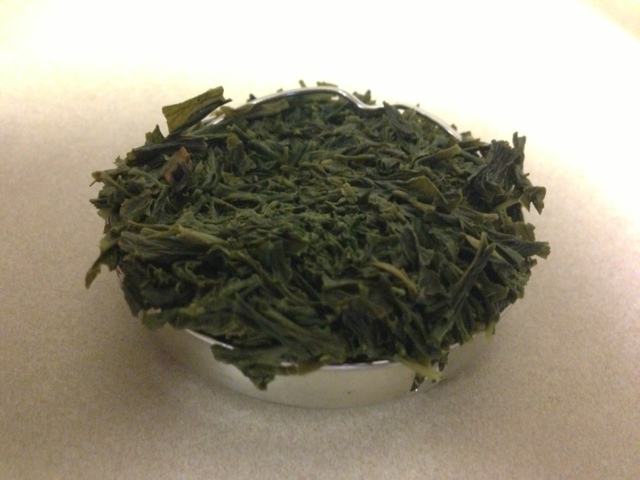
Yama Kushu Gyokuro Post Steep
The first thing you’ll notice is that they expanded and are now overflowing from the tray! I wonder if I could’ve used less leaves when making it and still had the same taste? When it comes to tea, I don’t question the tea masters so I don’t think I’m going to attempt it.

The Final Product
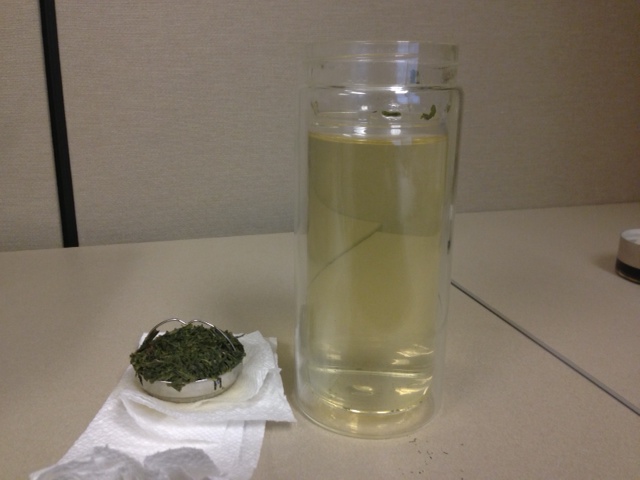
Delicious Yama Kushu Gyokuro Tea

The tea has a very light color and I was afraid that it wasn’t going to taste like anything  — I was wrong! This tea has a complex flavor that isn’t overly strong (like cheap teas), great mild flavors, and a refreshing aftertaste. What I’m trying to say is this tea will make your tastebuds happy.

In Summary

If you like green tea, I highly recommend trying the Yama Kushu Gyokuro from Wellness Tea Dynasty. It’s one of the most expensive teas on the website but this high quality tea is definitely worth every penny. This post took a long time to write and I think it’s time for me to make another cup.

DISCLAIMER: I am not a professional tea drinker nor do I know everything about teas. The only thing I truly know is that I like this one 😀

My 2013 Goals

Andrew Saladino's 2013 Goals
On the last day of 2012 and 2013 hours away for the East Coast, I thought it would be the perfect time to start planning for next year and write down my 2013 goals that I want to will accomplish by December 31st, 2013. Some of these are year-long goals while others are achievements that I want to conquer before the year is over. As I complete my goals, I will put a check! next to it and write the date it was done.


Why I’m putting my goals for 2013 on the Internet and public for everyone to see:

  1. So they actually get done – If I just wrote them in a notebook or on a Google Doc somewhere, I’d probably forget about them and give up halfway through the year. With this approach, everyone in the world will see them and can (and should) make fun of me if I don’t finish them all by the end of 2013
  2. So you can help – I’m not going to be able to do it alone — I need your help! If you see me slacking on any of my goals, please yell at me for motivation (I promise I won’t get mad)

Andrew Saladino's 2013 Fitness GoalsFitness Goals

  • |  | Run a 5K – This is something that I’ve wanted to do for a long time but I keep putting it off. 2013 is the year this is going to happen! I know that a 5K isn’t very far but I absolutely hate running (it hurts so much) and I’ve always told myself it’s not possible. Who wants to help me train?
  • |  | Join the 1000 pound club – This simply means that my one rep max on bench press, squat, and deadlift are equal to or greater than 1000 pounds. I’ve been going to the gym for 4 months now and if I keep it up, I should be able to do this by the end of the year. #SWOLE

Andrew Saladino's 2013 Personal GoalsPersonal Goals

  • |  | Write in my blog once / week – I clearly don’t do this enough and need to get better at it. Please yell at me if it’s the end of the week and I still haven’t done it yet.
  • |  | Read a book once / month – I tell myself that I’m going to ‘read more’ every day but I never do. I think putting an actual number (ONE) to how much to read might help me out with this one. Any good book suggestions?

Andrew Saladino's 2013 Financial GoalsFinancial Goals

  • |  | Save more – I have a bad spending problem and don’t save as much money as I should. My goal in 2013 is to buy half of what I bought in 2012 (which is still a ton) and put that money in a savings account that I won’t use.
  • |  | Stop shopping at Amazon – They make it too easy to buy things with one click checkout and free two day shipping from Prime and it is at a point where I buy something almost every day (ask my coworkers for proof). In 2013, I plan to only buy things I need (or really awesome discounts) from Amazon and not buy things like the 30 pack of Scoth-Brite sponges that is going to last me a lifetime.

Andrew Saladino's 2013 Productivity GoalsProductivity Goals

  • |  | Respond to emails within one day – I’m always multitasking and I always forget to respond to emails until days/weeks later (terrible habit). In 2013, I will either respond immediately to an email or use Boomerang for Gmail (awesome plugin btw) to send me a reminder to respond at a later date.
  • |  | Return phone calls & text messages faster – Pretty much the same as above except I don’t have Boomerang to help

Andrew Saladino's 2013 Embarrassing GoalsEmbarrassing Goals

  • |  | Learn to ride a bike (AGAIN) – There’s only one here because this one is bad. So, I technically can’t ride a bike. I learned when I was younger and didn’t really like it so I went through my childhood without riding a bike and now I don’t know how. I tried about a year and a half ago and it did not go well. My friend was convinced that I would remember how to do it again (the expression it’s like riding a bike) and it would be great — he was very wrong. Can one of my patient awesome friends please teach me??

I’m going to print these out and hang them by my desk as a constant reminder of what I need to do. I hope that you enjoyed reading my 2013 goals and I will write another post at the end of the year with a recap of my successes and failures. If you want to help me on my journey, don’t be shy! Give me a call, email, text, Facebook message, written letter, carrier pigeon, etc. and let’s make it happen. Do you have any goals that you’re setting yourself in 2013? I’d love to hear about them! Write them in the comments below.

Protected: chanplay

This content is password-protected. To view it, please enter the password below.

Enter your password to view comments. Permalink

List of Applications That Everyone Should Have on Their Computer

List of Applications Everyone Should Have On Their Computer

Andrew Saladino’s List of Must-Have Computer Applications

I haven’t made a blog post in quite some time but this list is something that I had to share with all of my amazing readers (all two of you). There was a post on reddit this week (see original post here) where a user asked, ‘What is something you think everyone should have installed on their computer or laptop?‘ and as usual, the reddit community delivered with some absolutely amazing application recommendations. I went through the comments and compiled this list of applications that you need to download ASAP:

Video:

  • VLC – Open source video player.
  • Media Player Classic – Home Cinema – Light-weight media player for Windows. I personally like MPC-HC much better than VLC. Supports more codecs/formats and video looks better.
  • Combined Community Codec Pack – A simple playback pack for Windows with the goal of supporting the majority of video formats in use today. Must have if you watch certain tv-shows or anime.

Audio:

  • Foobar 2000 – Extremely lightweight and customizable free audio player for Windows. Supports a wide array of different audio formats.
  • Audacity – Free, open source, cross-platform software for recording and editing sounds.
  • Spotify – Listen to music for free.
  • Grooveshark – Listen to music and radio stations for free.

Browsers:

  • Firefox
  • Chrome
  • Waterfox – 64bit browser based upon the Mozilla Firefox source code.
  • Pale Moon – Open Source, full-featured, speed optimized browser based on the popular Firefox browser.

Extensions for browsers:

  • Reddit Enhancement Suite – Make surfing Reddit so much more enjoyable. Highly customizable and easy to set up.
  • Honey – Chrome extension that autoscans for working coupon codes during checkout.
  • Adblock Plus – Blocks annoying ads on webpages and in videos. Surf faster and safer.
  • Ghostery – Anti ad/tracking extension.
  • ProxTube – Circumvent blocked Youtube videos.
  • Speed Dial – Allows fast access to your most visited websites. Extremely useful if you visit or want to keep track off a lot of different websites.
  • NoScript – Open source add-on (for Firefox) which allows JavaScript, Java, Flash and other plugins to be executed only by trusted web sites of your choice.
  • ScriptNo – Similar to NoScript only for Chrome instead.
  • Search by Image for Google (Firefox) – Fast way to reverse search an image. Very handy if you’re looking for a source, more information or if anyone posts “original content“.
  • Search by Image for Google (Chrome)

Security:

  • Microsoft Security Essentials – Lightweight antivirus software.
  • Avast! Free Antivirus – Antivirus software.
  • Malwarebytes – Anti-malware software.
  • TrueCrypt – Free open-source disk encryption software for Windows 7/Vista/XP, Mac OS X, and Linux.
  • Keepass – Free, open source, light-weight and easy-to-use password manager.
  • LastPass – Another password manager that makes web browsing easier and more secure.
  • Prey – Lets you keep track of your laptop, phone and tablet whenever stolen or missing. It’s lightweight, open source software that gives you full and remote control, 24/7.

System, cleaning and recovery:

  • CCleaner – A freeware system optimization, privacy and cleaning tool. For Windows and Mac.
  • Defraggler – Defragmentation software for Windows.
  • Recuva – File recovery software for Windows.
  • Speccy – Give you detailed statistics on every piece of hardware in your computer. For Windows.

Communications:

  • Skype – Call friends/family on their computers or phones. For Windows and Mac.
  • Pidgin – Open source chat client which is compatible with several different chat networks.
  • Trillian – A fully featured, stand-alone chat client that supports several different chat networks.
  • HexChat – IRC chat client for both Linux and Windows.

Documents, images and graphics:

  • Foxit Reader – Free PDF reader for Windows, Linux and smartphones.
  • Sumatra PDF – Free PDF reader for Windows.
  • Open Office – Open source personal productivity suite.
  • Libre Office – Open source personal productivity suite for Windows, Mac and Linux.
  • GIMP – Free image manipulation software.
  • Paint.net – A free image and photo editing software. For Windows.
  • IrfanView – The best freeware image/graphic viewer for Windows. Extremely lightweight and supports a wide arrange of different formats.

Compression:

  • WinRAR – File archiver (You can still use the software after the trial period has run out).
  • 7-Zip – Open source file archiver.

File sharing:

  • uTorrent 2.2.1 – uTorrent became extremely bloated after they released version 3.0 and on. Version 2.2.1 has everything you need without using many resources or having any ads.
  • Transmission – Extremely lightweight BitTorrent client for Mac and Linux. There’s an unofficial Windows version which you can get here: http://sourceforge.net/projects/trqtw/[46]
  • Deluge – Lightweight, cross-platform BitTorrent client.
  • qBittorrent – Free, lightweight cross-platform BitTorrent client.
  • Trixati – Free BitTorrent client for Windows and Linux.

CD/DVD-tools:

Online Storage:

  • Dropbox – Cloud storage. For Windows, Mac, Linux and smartphones.
  • Google Drive – Google’s cloud storage solution similar to Dropbox.
  • Skydrive – Microsoft’s cloud storage solution. Now also available on Xbox360.

Live streaming/recording:

  • Open Broadcaster Software – Free and open source software for media streaming/recording.
  • FFsplit – A free front-end application that allows you to capture and record what is happening on your desktop. For Windows.
  • DXtory – Dxtory is a movie capture tool only for DirextX/OpenGL application. For Windows.

Other:

  • Steam – PC-game client for PC, Mac and Linux (Linux version is still in closed beta).
  • f.lux – Makes the color of your computer’s display adapt to the time of day, warm at night and like sunlight during the day. Must have if you have problems with going to sleep or have problems with eyes or headaches. For Windows.
  • RedShift – Just like f.lux but for Linux (there exists an experimental Windows build though).
  • Sublime Text 2 – A great text editor for code, markup and prose. For Windows, Mac and Linux.
  • Notepad++ – Free source code editor and Notepad replacement that supports several languages. For Windows.
  • Rainlendar – A lightweight customizable calendar.
  • Hamachi – A hosted VPN service that lets you create LAN-like networks. Very useful if you want to play older pc-games with friends.
  • Tunngle – A p2p VPN tool somewhat similar to Hamachi.
  • Paint.Net – If MS Paint and Photoshop had a baby. It’s a free image and photo editing software for Windows and is a powerful yet simple image and photo editor tool.

There you have it — the complete list of software that you need on your computer to handle nearly every situation possible. I’m going to periodically be uploading this list so please leave a comment with your feedback or if there’s an application that you think I left out that belongs on this list.

Would You Rather Wednesday: Coke or Pepsi?

I apologize for not writing in my blog in ages but I thought it’d be the perfect time to start on a Wednesday with a ‘Would You Rather Wednesday?’ question. Today’s question is pretty simple: Would you rather drink Coca-Cola or Pepsi?

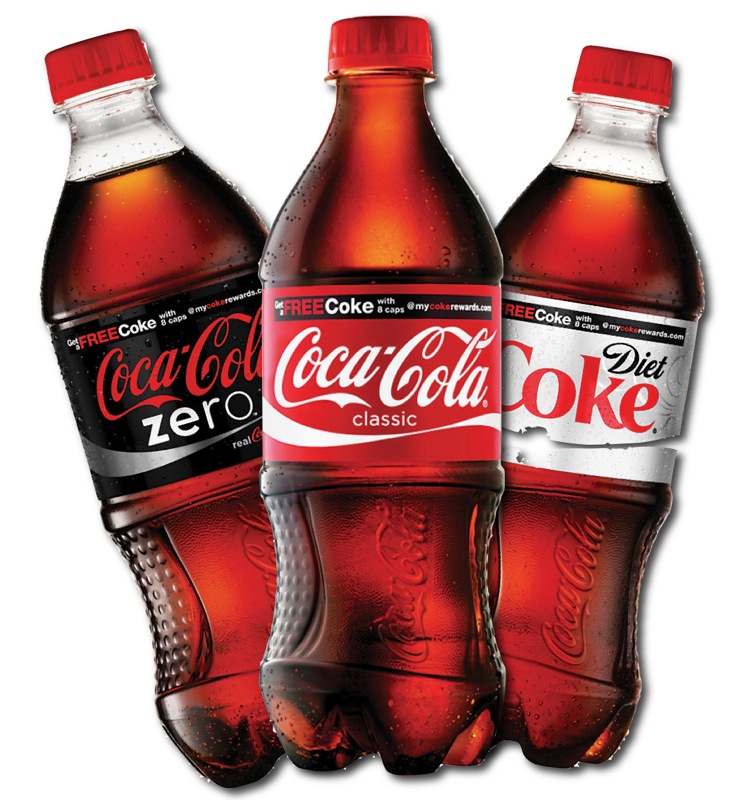
Coca-Cola: I’m referring to the Coca-Cola, Diet Coke, and Coca-Cola Zero products (this does not include all of the other beverages that Coca Cola owns)

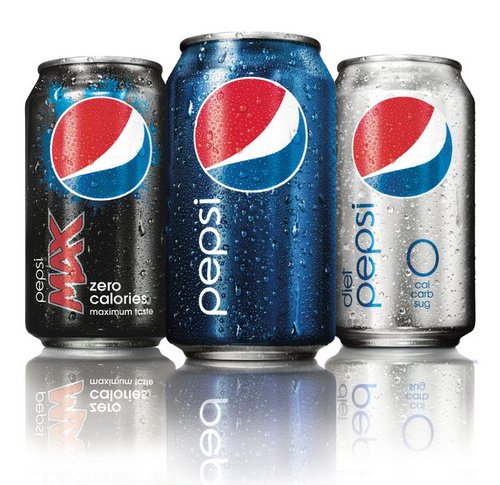
Pepsi: I’m referring to the Pepsi, Diet Pepsi, and Pepsi Max products (this does not include all of the other beverages that PepsiCo owns)
Coca-Cola BeveragesORPepsi Beverages

Tay Zonday – Call Me Maybe?

There’s probably a new version of Call Me Maybe by Carly Rae Jepsen almost every day but this one caught my attention. Why you ask? Because it’s song by the Chocolate Rain YouTube sensation Tay Zonday. I thought this guy fell off the planet after the song but apparently he has over 40 videos in his YouTube channel. Check out this absolutely hilarious and strange rendition of Call Me Maybe performed by the one and only Tay Zonday.

Would You Rather Wednesday: Fall to your Death, Burn to Death, Drown to Death, Eaten Alive?

Today’s ‘Would You Rather Wednesday’ is a little different than the previous ones. I’m giving you four options to choose from and they are all really bad situations. Today’s question is, ‘Would you rather fall to your death, burn to death, drown to death, or be eaten alive?’ Please read the below scenarios for the specifics of your horrible death!

Fall to your Death: You know how all of your friends always say they want to go skydiving? You caved in to their peer pressure and you went. You jump out of the plane with your instructor and then he realizes that the parachute won’t open. He says, “Don’t worry, that’s what the backup parachute is for!”. He then tries to open that one and it won’t open either. You are now cutting through the air with nothing to slow you down.

Burn to Death: You’re in an enclosed room that is locked shut. You’re surrounded by flammable objects and the fire has spread to a point where you have absolutely no way to put it out. It’s a large room and you’re on the other side of the fire. It’s only a matter of time until it reaches you.

Drown to Death: (DISCLAIMER: THIS CONTAINS SPOILERS OF THE MOVIE TITANIC)  You’re Jack Dawson on the Titatic in the scene where he’s handcuffed to the pipe while the ship is sinking. The only problem is that there is no Rose to come and save you with an ax. The room is slowly filling up with water and your demise is inevitable.

Eaten Alive: Like a scene from Resident Evil, you wake up one day and you’re stuck in a mansion. Doesn’t seem too bad. The only problem is everyone that you know and everyone in the mansion is a hungry flesh eating zombie. You’re their dinner for tonight and there’s no way out of the mansion.

Would You Rather Wednesday: Punched in the Face by Mike Tyson Hit with a Bat by Barry Bonds

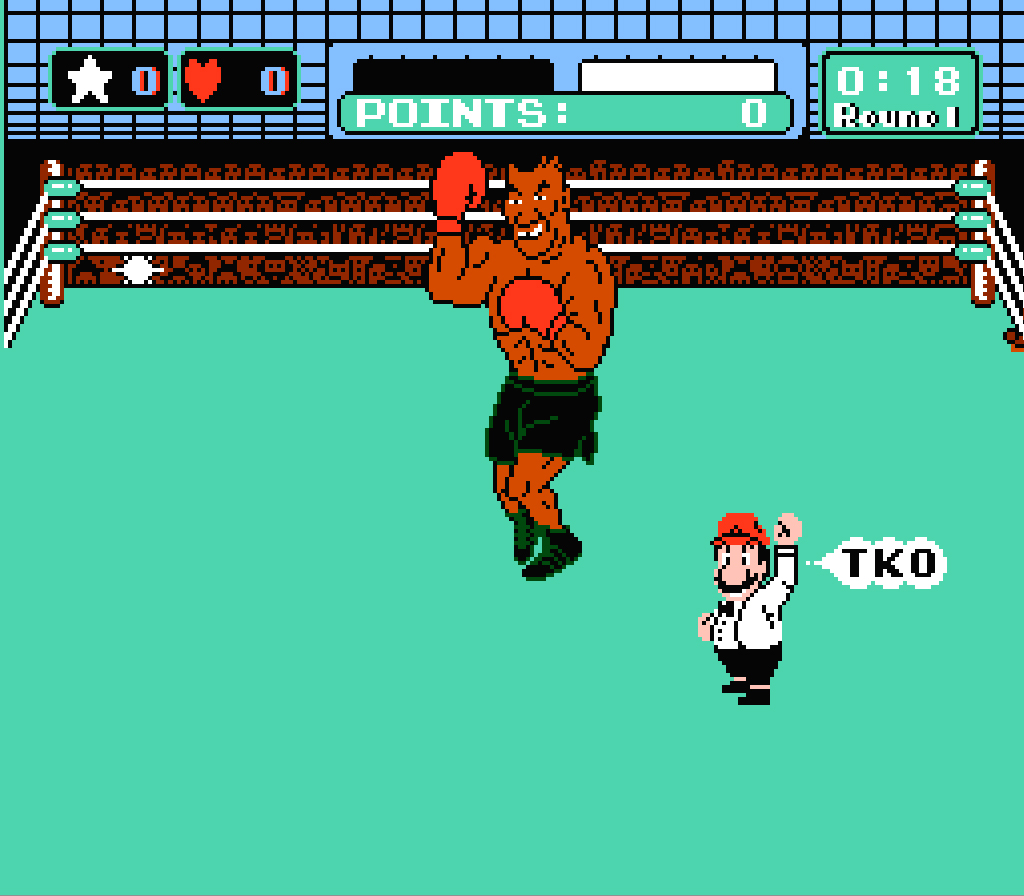
This Would You Rather Wednesday is going to hurt … literally. Today’s question is, “Would you rather be punched in the face by Mike Tyson or hit with a bat in the chest by Barry Bonds?” It’s going to hurt either way so you’re in trouble either way. Some things to think about:

Mike Tyson: Mike Tyson has 50 professional boxing wins. 44 of them were by Knock Out. He has completely floored some of the best fighters of all time. He’s punching you in the face.

Barry Bonds: Barry Bonds has the record for most home runs in a single season and also has the record for most career home runs. He swings pretty hard. He’s hitting you in the chest.
Mike Tyson Knock OutORBarry Bonds Home Run

Would You Rather Wednesday: No Salty Junk Food or No Sweet Junk Food for a Month

I’d like to thank Stephanie Behie for today’s ‘Would You Rather Wednesday’ question. I think this is one of the toughest choices yet. To my faithful fans, I ask you, ‘Would you rather not be able to eat salty junk food (chips, popcorn, etc) or sweet junk food (cake, ice cream, candy, etc) for an entire month?

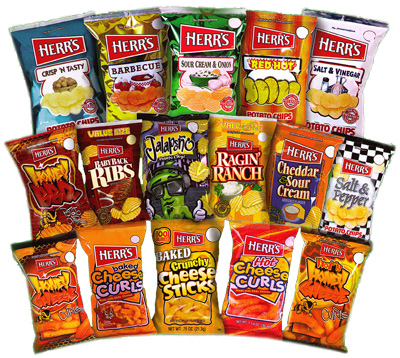
Some Delicious Salty Junk Food: Potato Chips, Pretzels, Popcorn, Doritos, Party Mix, Cheeze-Its, Cheetos, Cheese Puffs, Hot Fries,Goldfish, Fritos, etc.

Some Delicious Sweet Junk Food: All Cake, All Ice Cream, Gushers, OREO cookies, Twizzlers, Chocolate Bars, Sweedish Fish, etc.
Salty Junk FoodORSweet Junk Food

Best Draw Something Drawing Of All Time

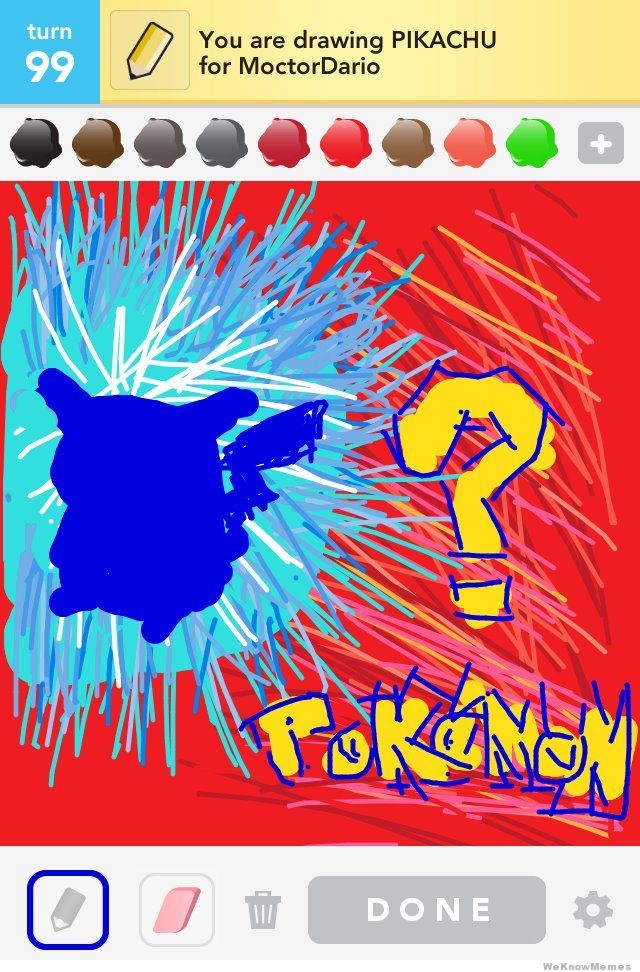
I’ve seen a ton of Draw Something pictures that I thought were absolutely amazing but I think this one is by far the best. It combines creativity with great artistic ability. I think that the reason I like it so much is that I’m just a huge nerd.

This artist could have easily drawn a huge beautiful picture of ‘PIkachu’ but chose to go a completely different route. Utilizing the ‘Who’s That Pokémon?’ game screen with the silhouette of PIkachu just brings me right back to my childhood. See below photos of the Draw Something picture and the actual Pokémon TV show reference.

Draw Something Picture:
Best Draw Something Drawing of All Time: Pikachu

TV Show Reference:
Who's That Pokemon? Pikachu

1 2 3 4 5 6 7 8 9  Scroll to top